
This is a step by step tutorial for Downloading, Installing & configuring the Kodi App with my exclusive build, which has the ability to “scrape” the internet for Movies and TV Show Episodes that you want to watch..
DISCLAIMER!
Kodi, (nor my build) do not host any content and is in essence just a search engine. It is therefore 100% legal to install and use. However, it is unlikely that the majority of links scraped from databases and websites hold the proper licensing for distributing the content.
In reality, it is possible you may be unlawfully streaming copyrighted content & doing so could get you into legal trouble. Therefore, I highly recommend that you use a VPN when streaming on this app!
DON'T HAVE KODI APP YET?
-
1st Step - Get KODI for your Machine!
DOWNLOAD AND INSTALL KODI 21.0 FOR YOUR OPERATING SYSTEM
----- CLICK HERE(YOU SHOULD KNOW WHAT SYSTEM YOU HAVE... WE WON'T)
Step by Step Setup guide ⬇️
First time opening: If asked, hit CONTINUE
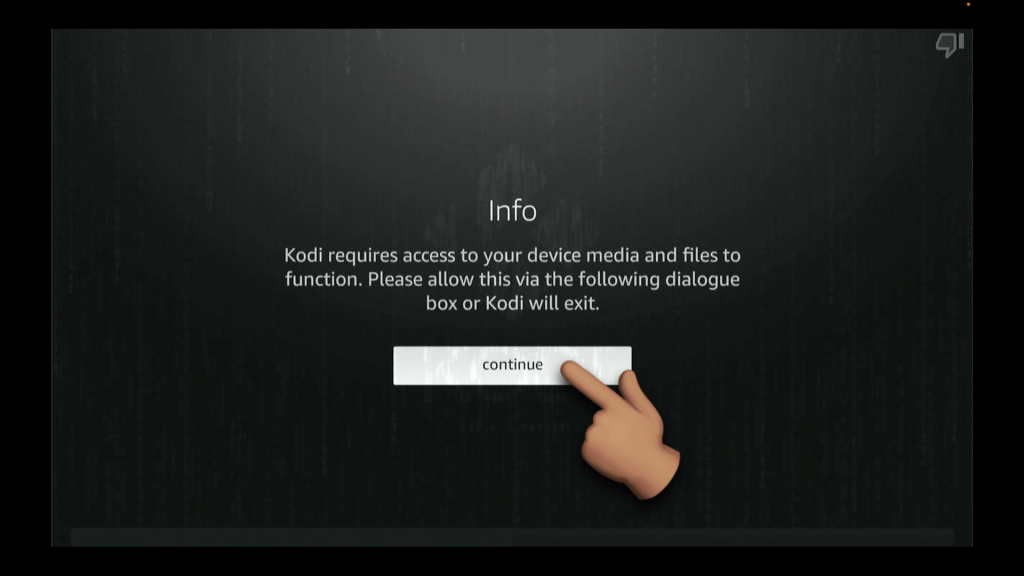
First time opening: If asked to access photos/media/file, hit ALLOW

Click on SETTINGS

Click on SYSTEM

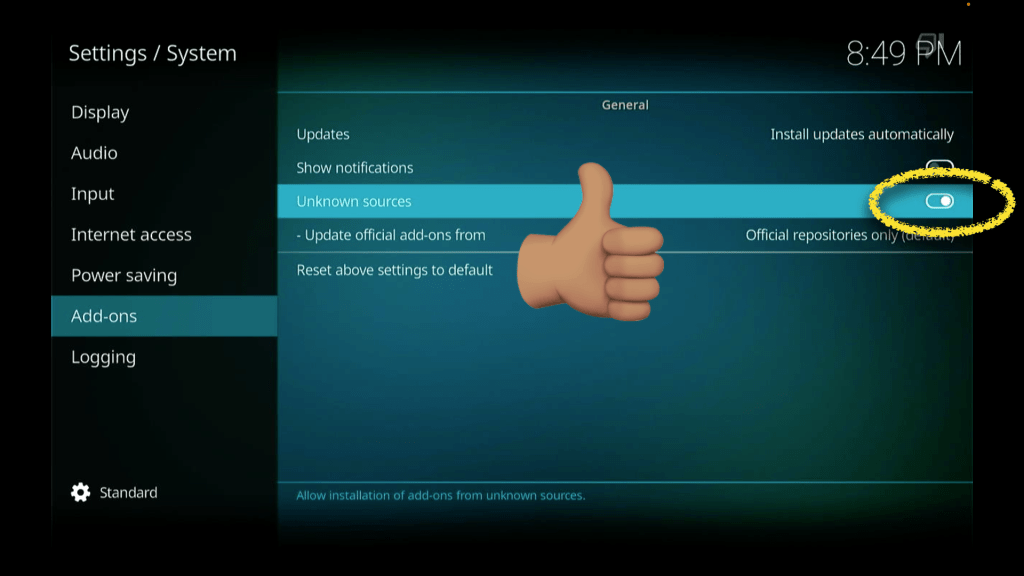
Scroll down to "Add-ons", then toggle Unknown Sources to the "ON" position
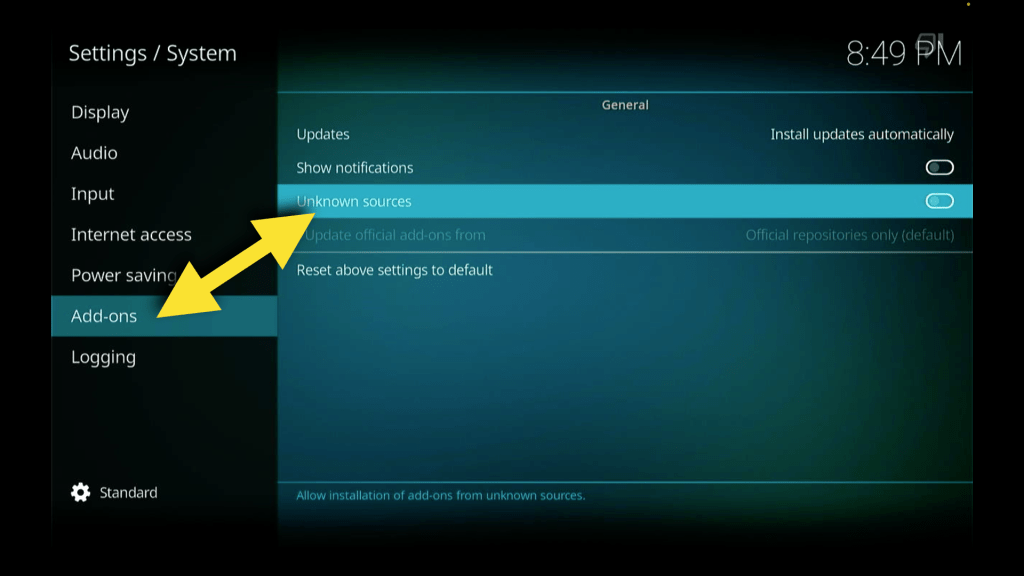
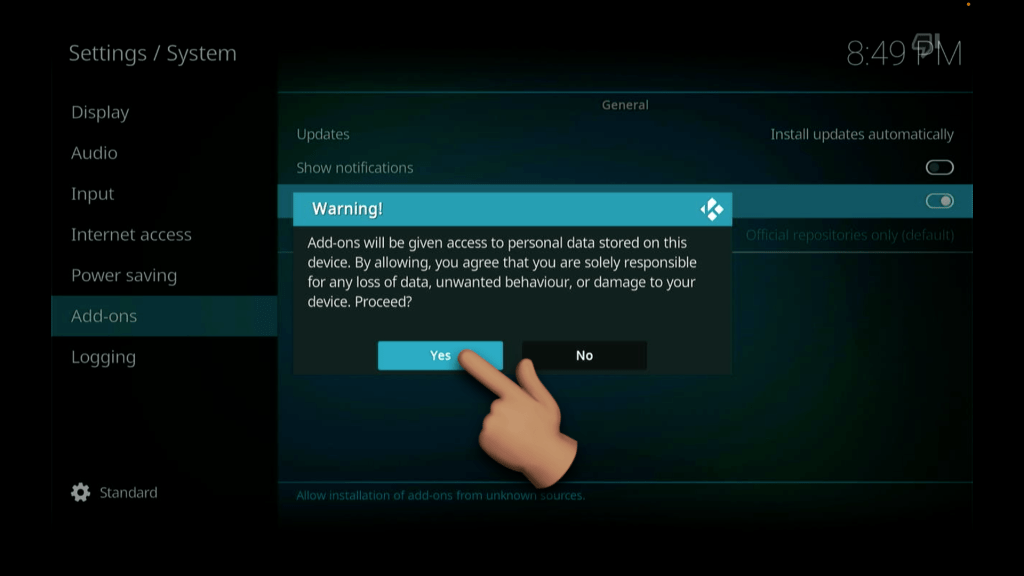
Hit YES on the Popup
Should end up looking like THIS 😎
Lets back up one time then select FILE MANAGER

Select ADD SOURCE
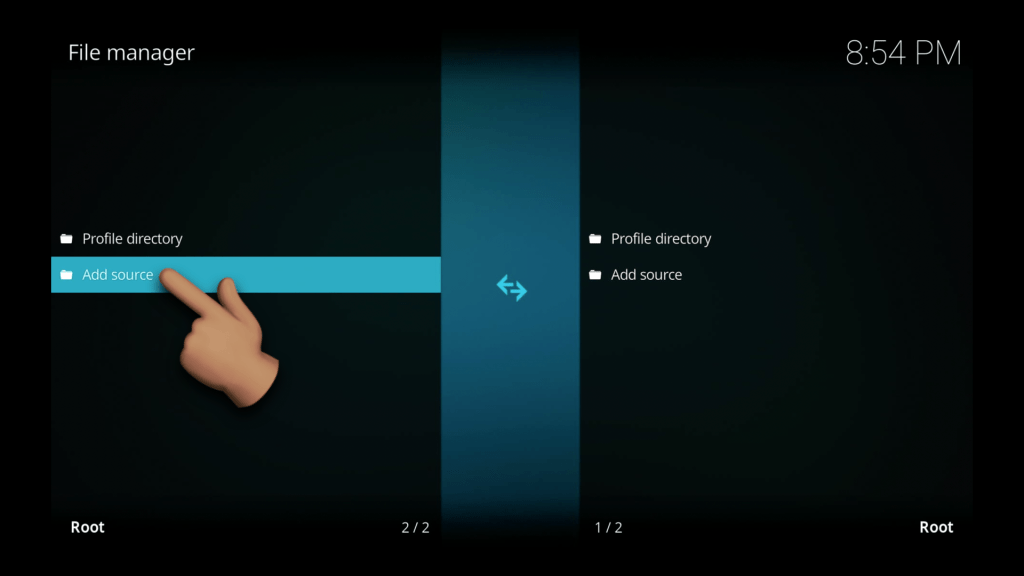
Click on the <None> field.. We will be typing in a URL

Type in http://kwhome2417.tech/kodi, then hit OK
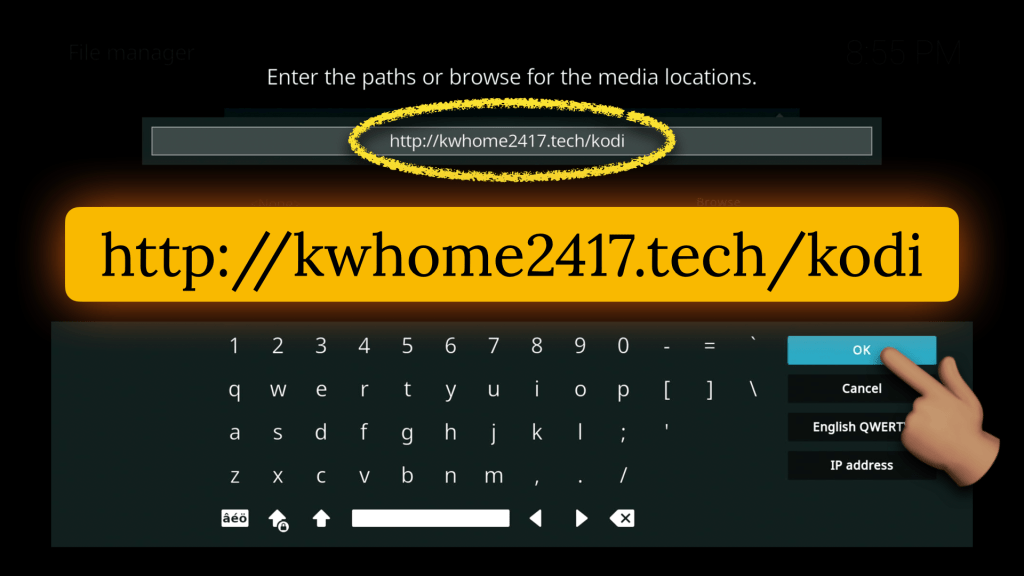
Now hit "OK" at the bottom of the "Add file source" box.. It should look EXACTLY LIKE THIS

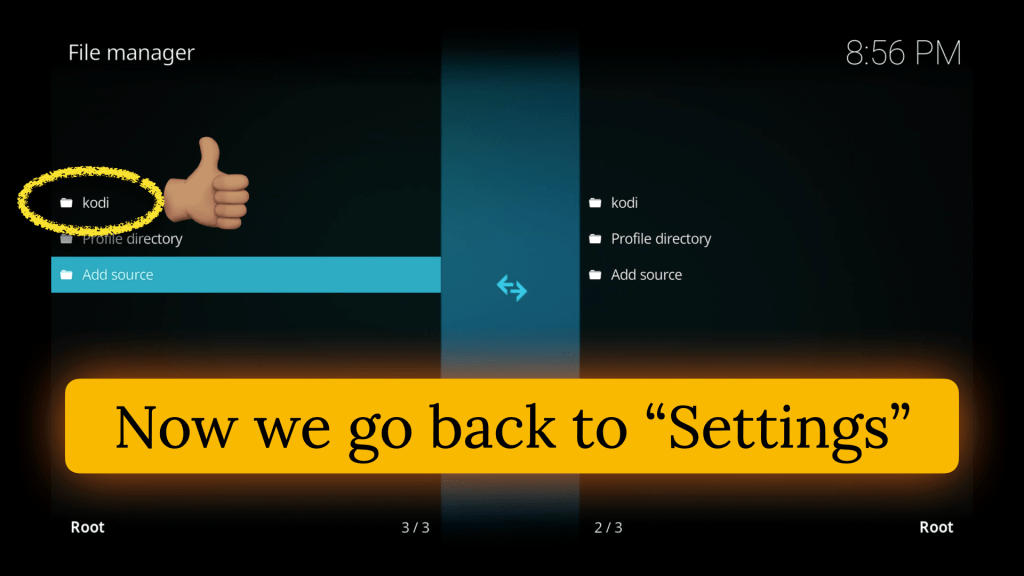
You should see the new source added just like the photo below 😎⬇️
Now lets back up one time and Install the Wizard.
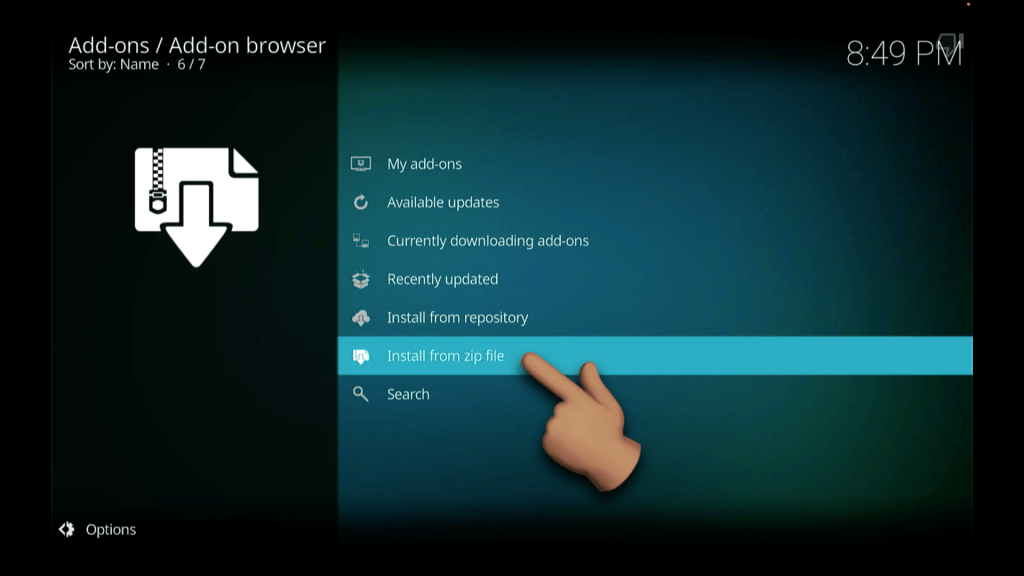
Select Add-ons

Select Install from zip file
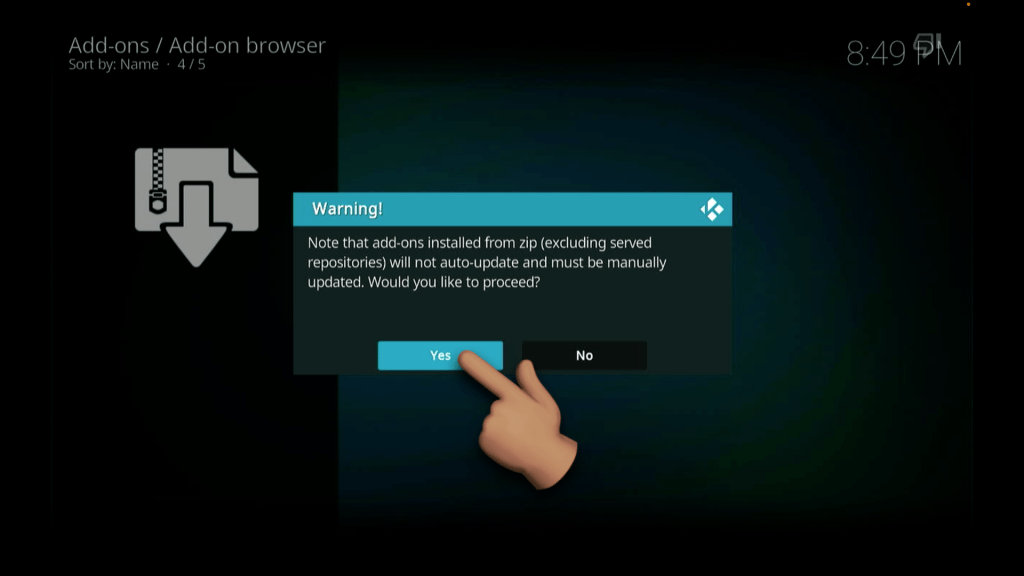
then hit Yes at the popup
IF you get the warning below, hit YES..
If not - keep going 👍🏽
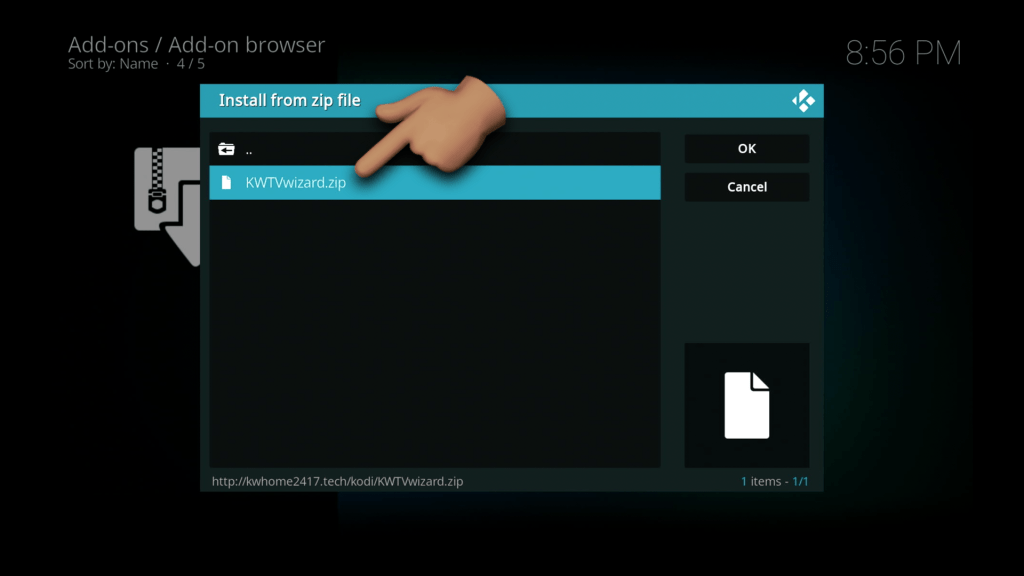
Select the kodi source (that we just created)

Select the KWTVwizard.zip file.
Hang out for a bit - this may take a while.
🔴 DON'T TOUCH ANYTHING🔴
EVENTUALLY YOU'LL SEE THE "KWTV WIZARD INSTALLED" MESSAGE
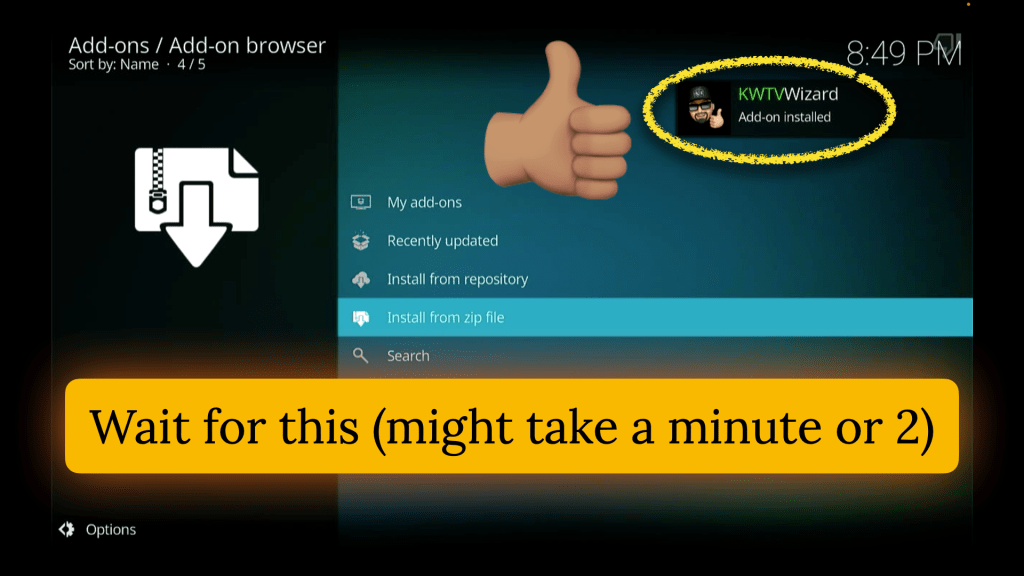
Click CONTINUE on the popup

Select BUILD MENU on the purple screen like so:
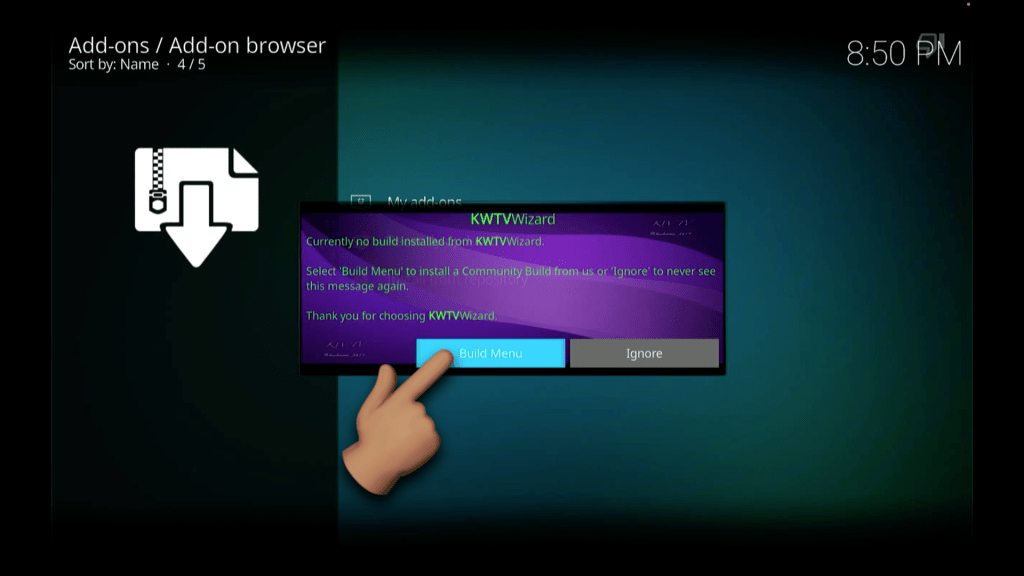
IF THE SCREEN GOES BLANK - CLICK HERE
Click on the KWTV Build (the latest version will show on your screen)
(2026.08.02)

Click on INSTALL
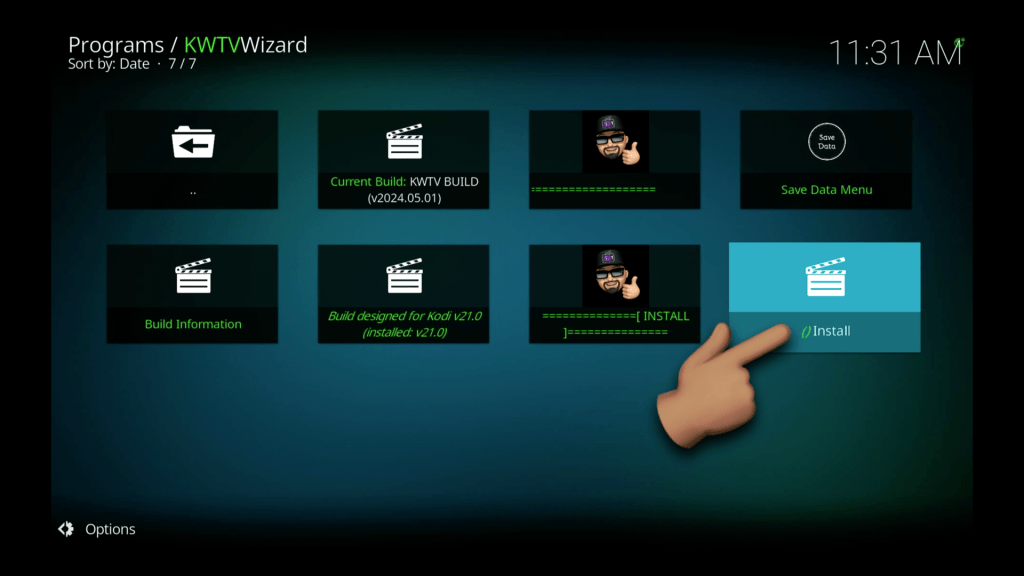
- hit YES INSTALL

The wizard will Download my build

Then it will install the Build files
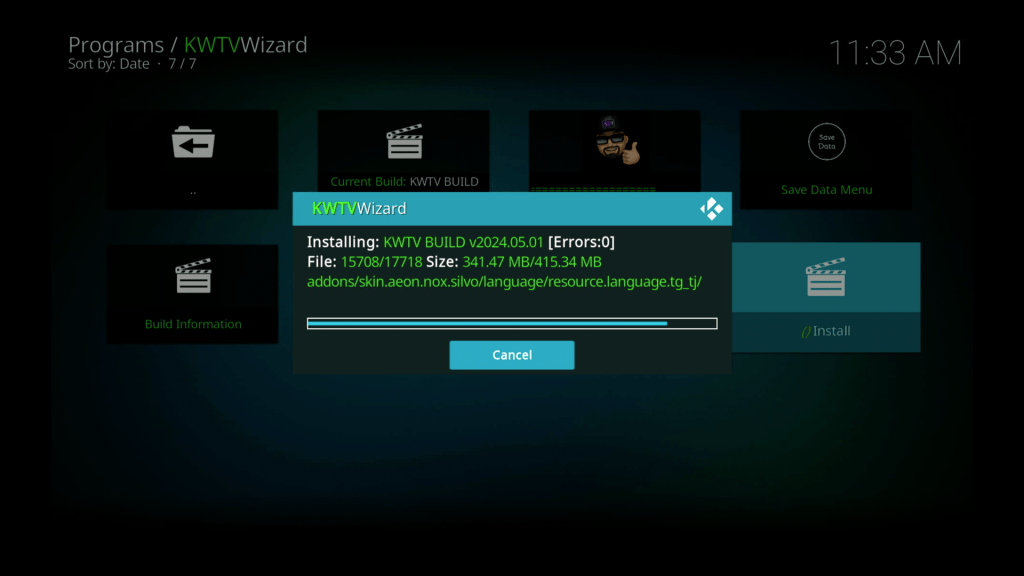
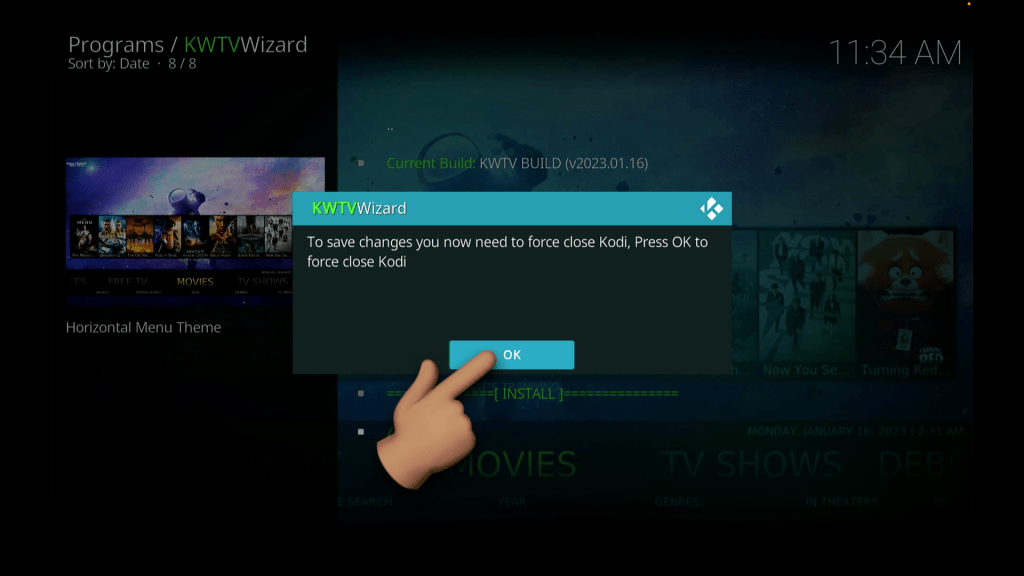
Once completed - you'll be asked to hit OK to close Kodi
Click OK
(if it shuts off automatically, that's fine)
Re-Open Kodi from your HomeScreen/App Drawer and enjoy!
