If you were in the middle of an update and something went wrong, or it quit, and now Kodi has the "blue screen" when you open it....
SCROLL DOWN TO ADD-ONS
in the right pane, scroll down till you see "PROGRAM ADD-ONS"
then CLICK MY WIZARD

DON'T SEE MY WIZARD??
You will need to reinstall it (click here to see tutorial)
IF YOU DO SEE IT, KEEP GOING 😎
Select BUILDS
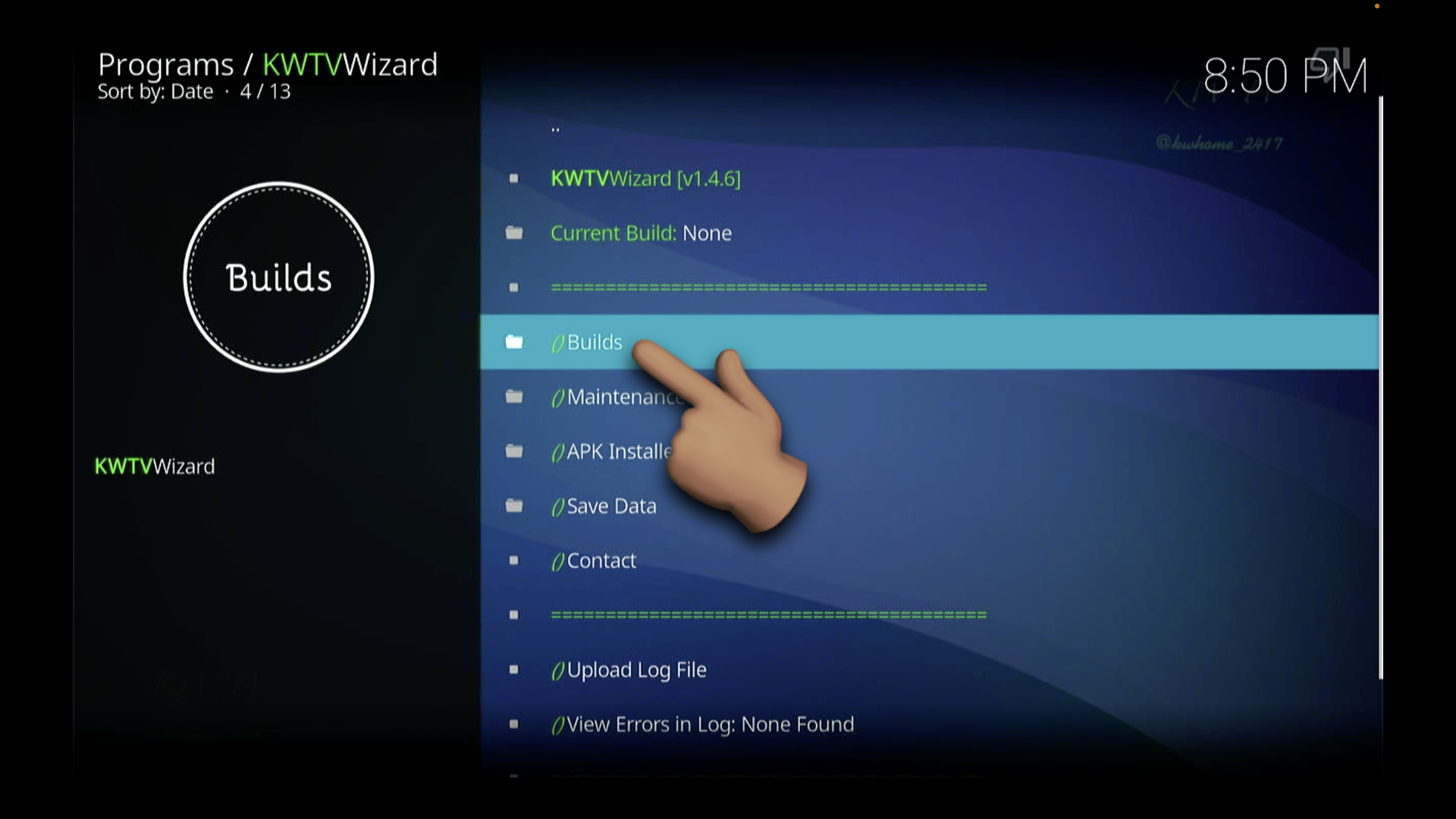
SELECT THE KWTV BUILD (TOP OPTION)
MOST CURRENT VERSION IS (2026.08.02)

NOW HIT INSTALL
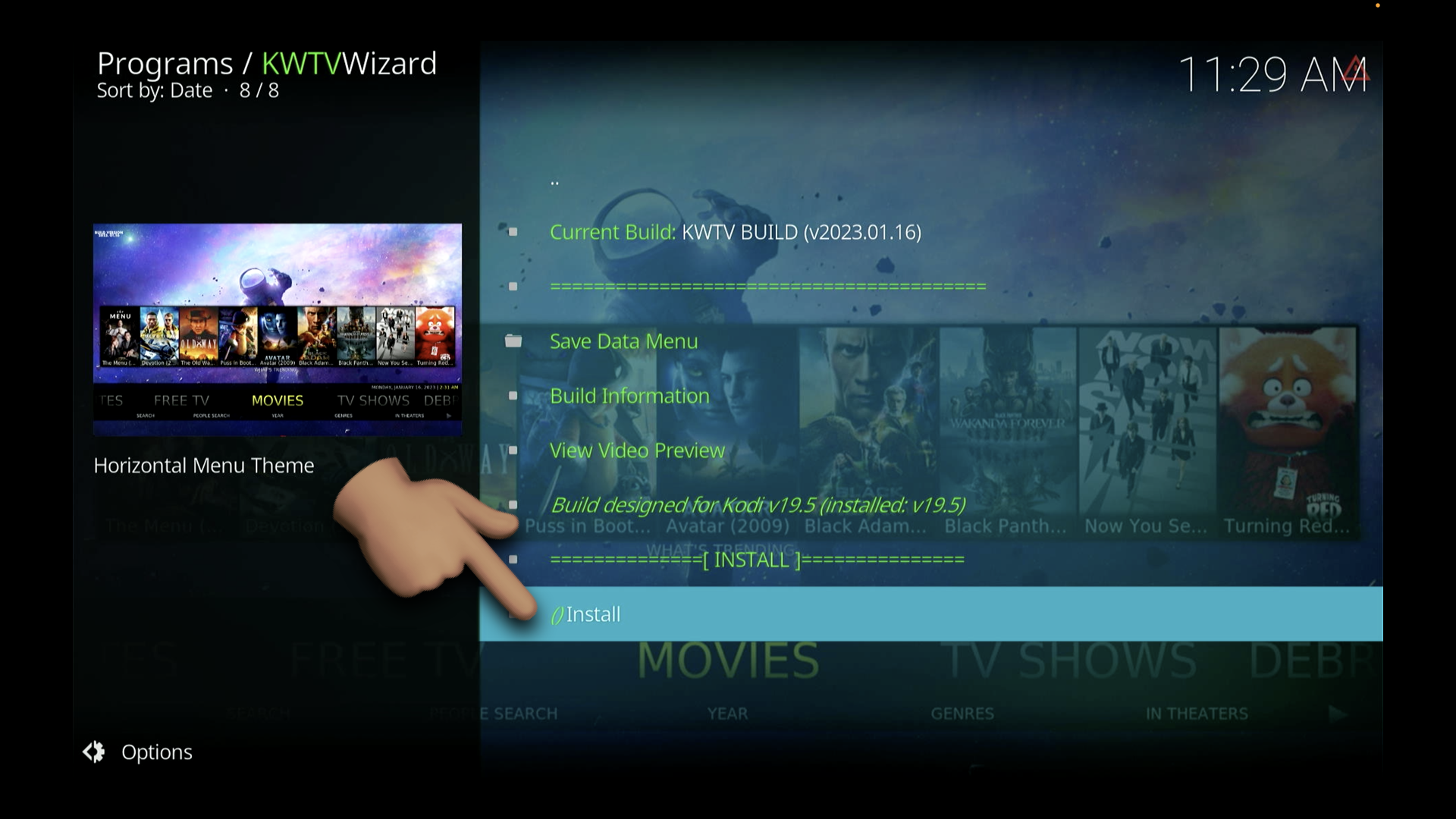
CONFIRM BY HITTING YES, INSTALL

THE WIZARD IS NOW DOWNLOADING MY CONFIGURATIONS
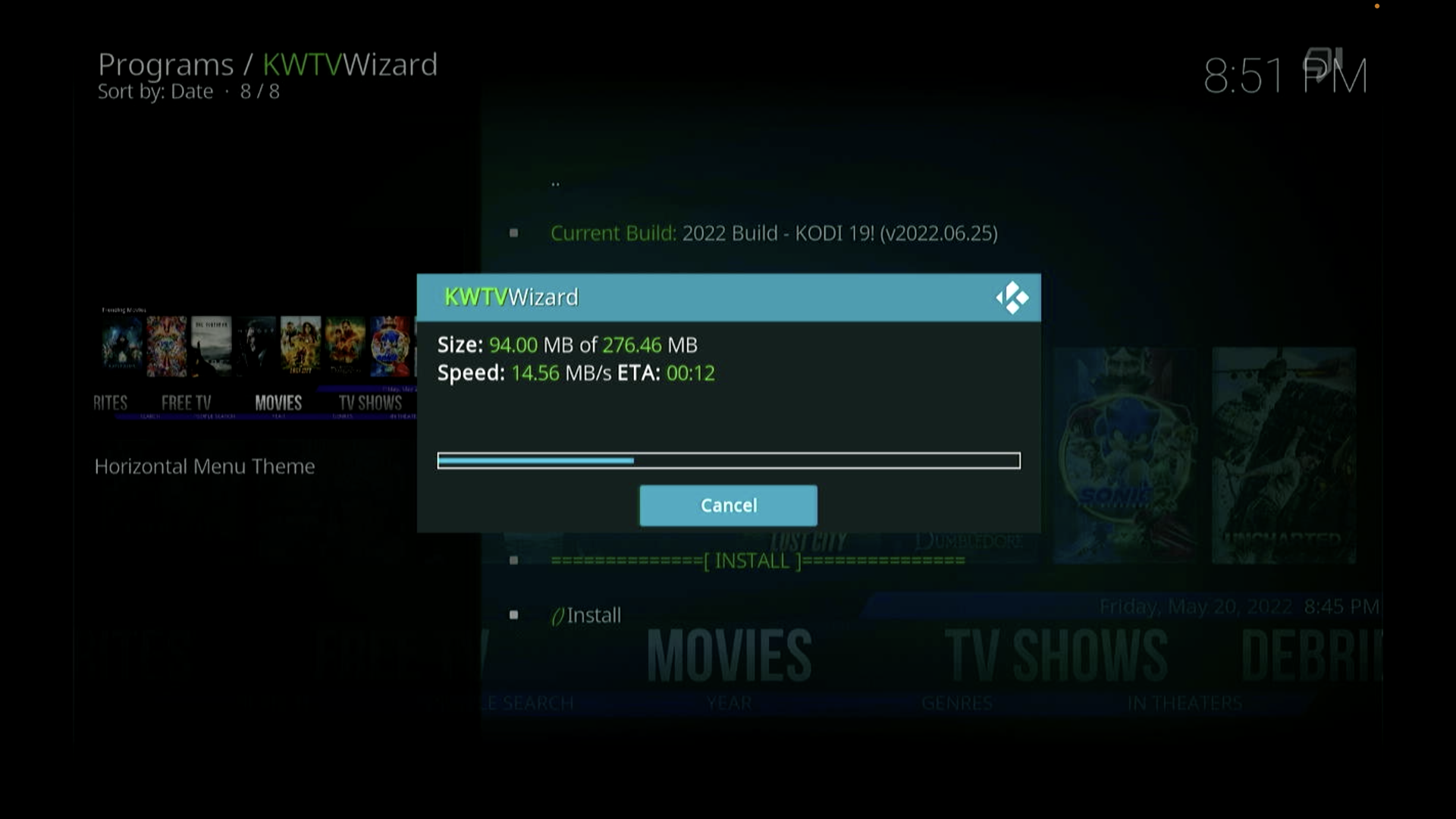
THEN, IT'LL INSTALL MY CONFIGURATIONS
Once completed - Kodi will ask you to hit OK to save and close..
Once you reopen, it should look like this when it's all said and done:

IF THE WIZARD FAILS OR PRODUCES ERRORS:
- RESTART your INTERNET
- (unplug the router - count to 30 - plug back in)
- Then RESTART YOUR STICK & TRY AGAIN